


エンドユーザトランザクションの処理
From the point at which the end-user is presented with a registration interface, the eSuite Client-side APIs are used to perform registration and conduct the purchase-process.
以下では、登録と購入について4つの段階で説明します。サブスクリプション購入を参照している例です。トランザクション間で必要とされる制御交換シーケンスを提示しております。
Phase 1
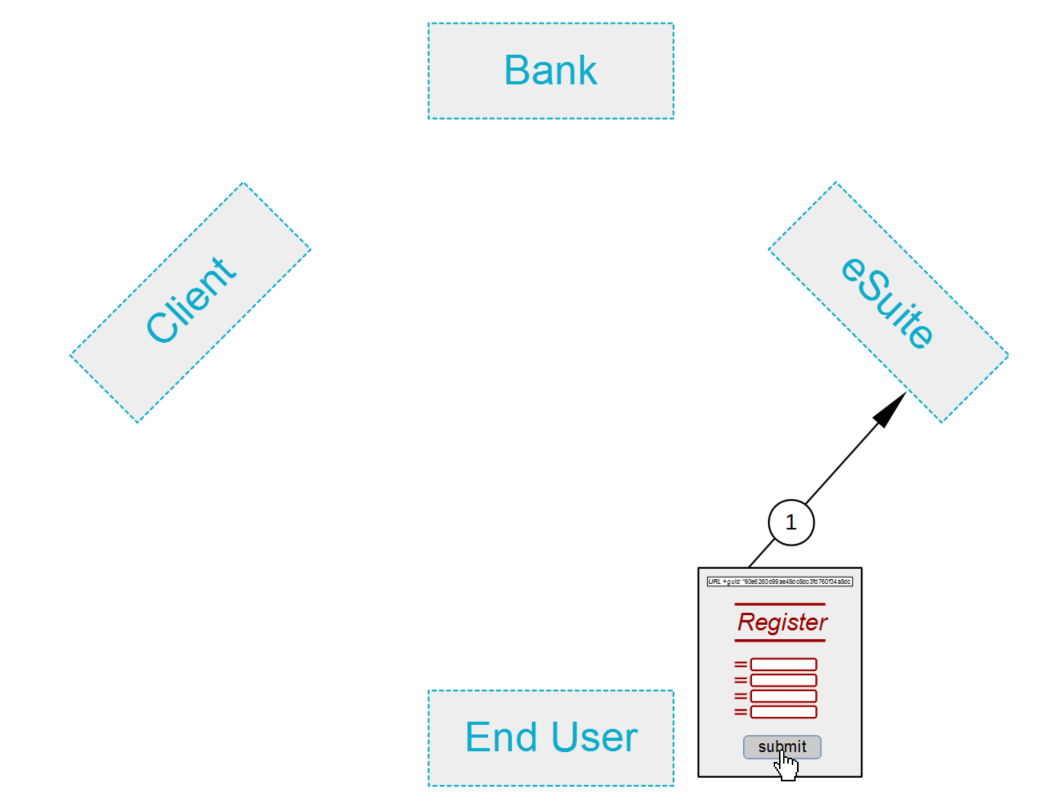
注釈 1で、エンドユーザーは登録フォームを完了し提供します。これは、 UserCreate クライアントサイドのAPIによって管理されます。
Phase 2
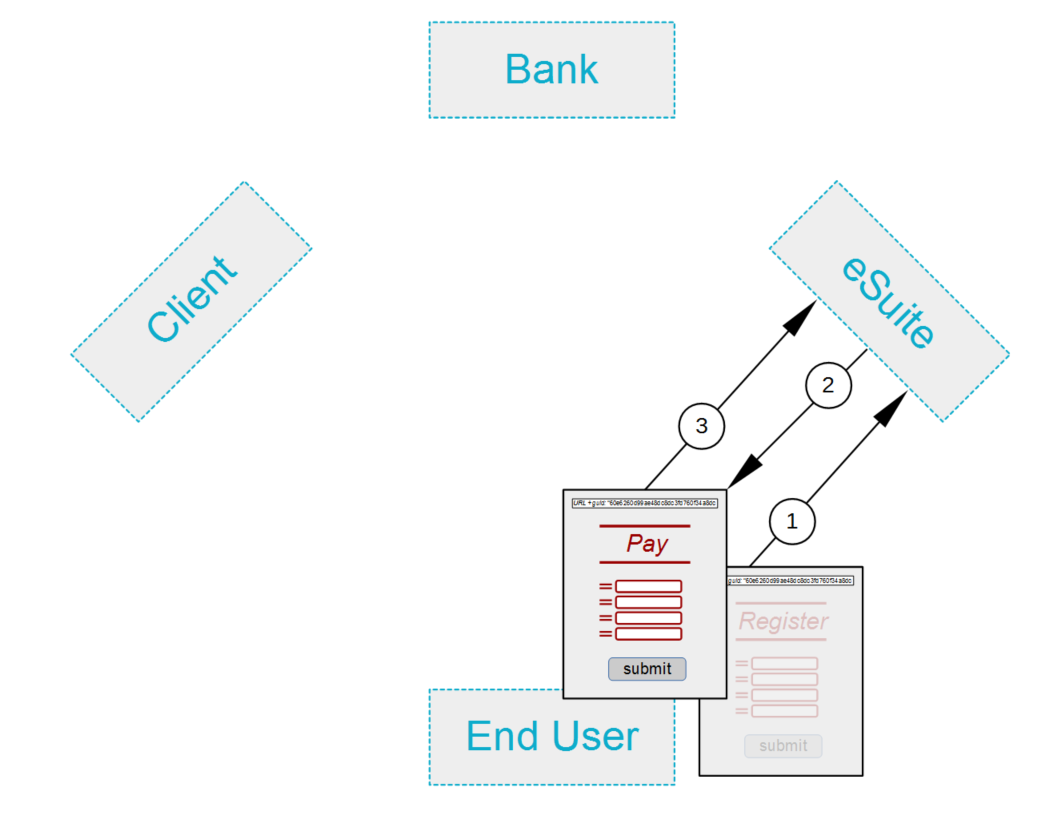
2. 登録後、eSuiteはユーザアカウントの作成します。これが成功すると、eSuiteは新しいブラウザページをユーザに提示し、支払いカードの詳細の提出を伝えます。
3. エンドユーザーは支払明細を入力し、提出します。 eSuiteへの送信は、 UserManageCreditDebitCard クライアントサイドのAPIによって処理されます。
Phase 3
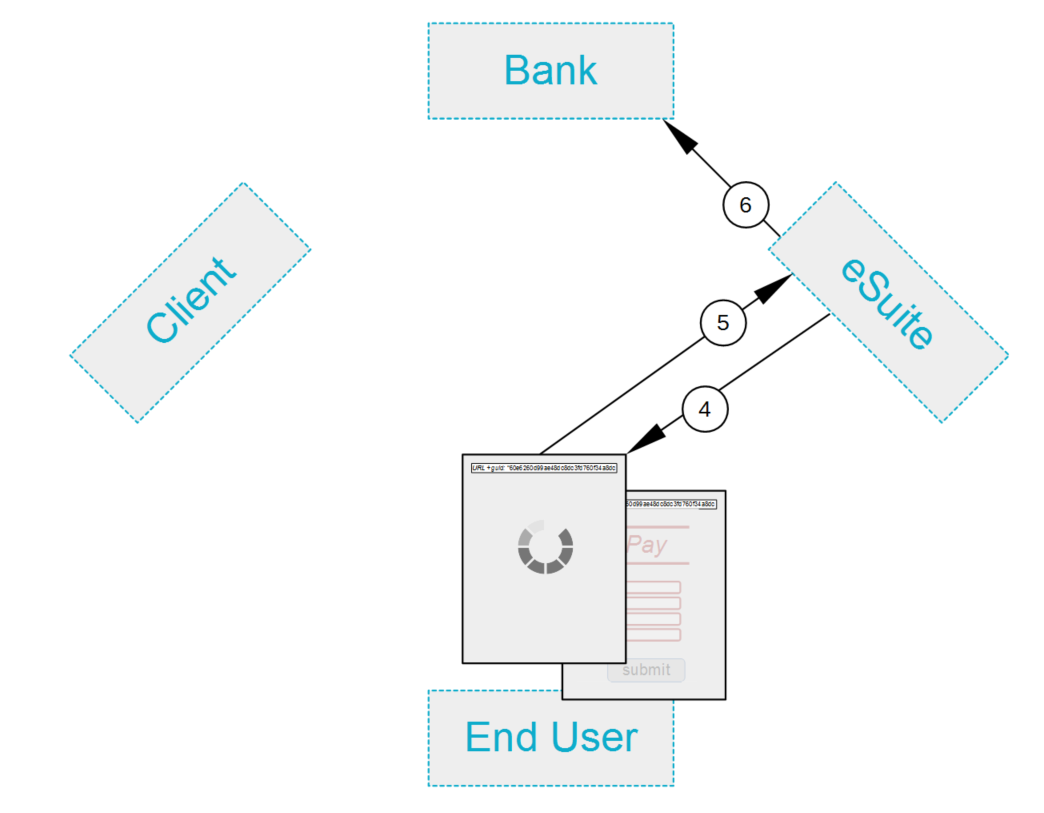
4. While eSuite inspects the submitted card-information, a please wait animation is displayed to the user. If the card is accepted, eSuite returns to the Client-side.
5. With the please wait animation still being displayed, the Client-side AddSubscription API is invoked, to add the user's subscription.
6. The eSuite Server-side now makes an authorisation-request to the approving bank.
Phase Four
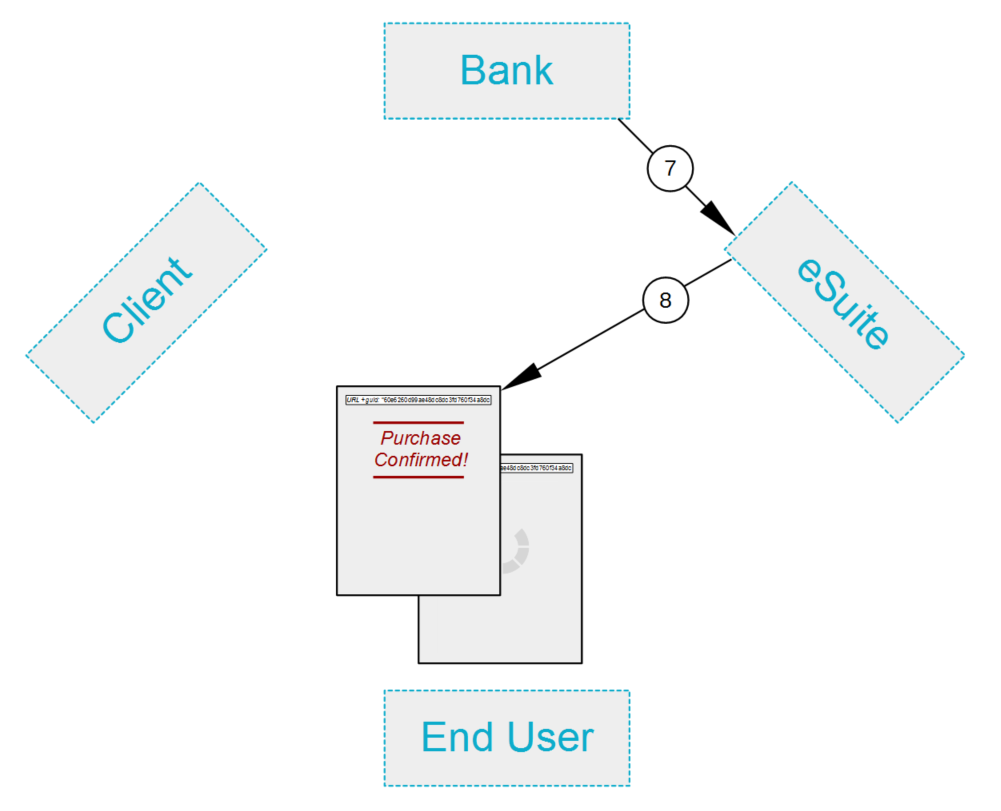
7. The bank responds to eSuite's authorisation-request.
8. If authorisation has been forthcoming, eSuite sends a confirming event to the Client-side, and a Confirmation-page is duly shown. Note that also dispatched from eSuite is a ReturnURL, which was specified by the client as part of the CreateSession call. By means of this URL, the end-user can return to the client-site (here illustrated as by means of pressing OK).
This concludes the account of preparing for and handling purchases and payments.