


Registration eSuite Only (Client Side)
Registration of an account when the primary IDM within the platform will be eSuite, this authentication will call directly from the browser into eSuite. Once created the user’s email address in conjunction with a password will be used to Authenticate in the future.
Description
The diagram below shows the Client-Side implementation of user registration flow. In this flow a single API call is made directly from the browser to the eSuite platform to perform the registration of the user.
Workflow
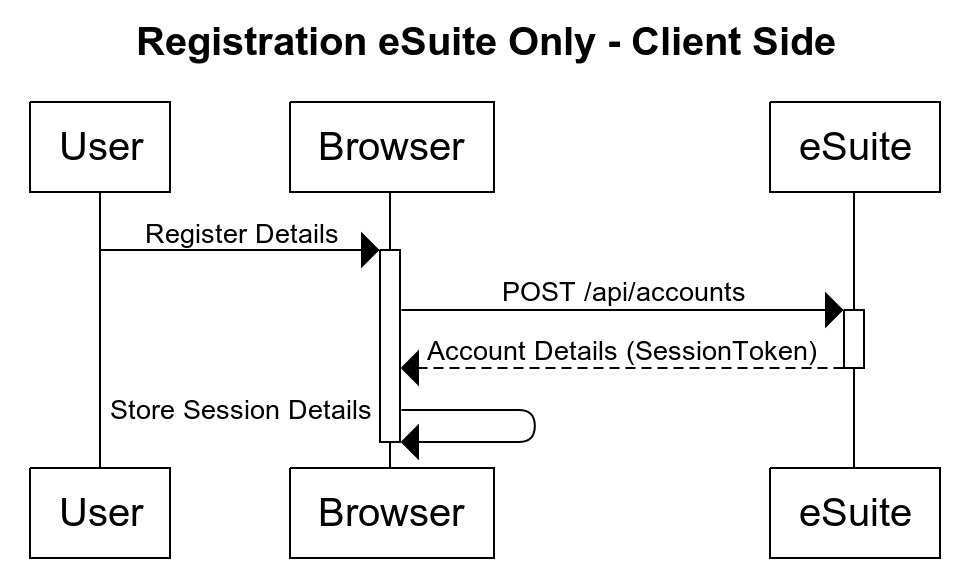
Authentication
As these are a client-side API being called then client-side authentication is used for the API. API authentication method details can be found here: https://supportstaging.mppglobal.com/technical/esuite-rest-api-support/authenticating/eSuite Authentication Prerequisite
To enable the client side applications to call the eSuite Client Side API's you will need to provide MPP Global with the following:- A list of Origins
- Token ID
API Documentation
Details on the API used in this diagram can be found at the links below:
- /api/accounts - https://dev.mppglobal.com/reference#accounts_createaccountv11